반응형
작업 표시줄에 적지않은 공간을 차지하는 부분이 바로 트레이 아이콘이다.
이메뉴는 설정에서 개인 설정 > 작업 표시줄을 통해 이동하여 조정할 수 있는데, 기본적으로 과거 사용되었던 프로그램들까지 전체적으로 나와서 가시성이 좋지 않은 경우가 많다.
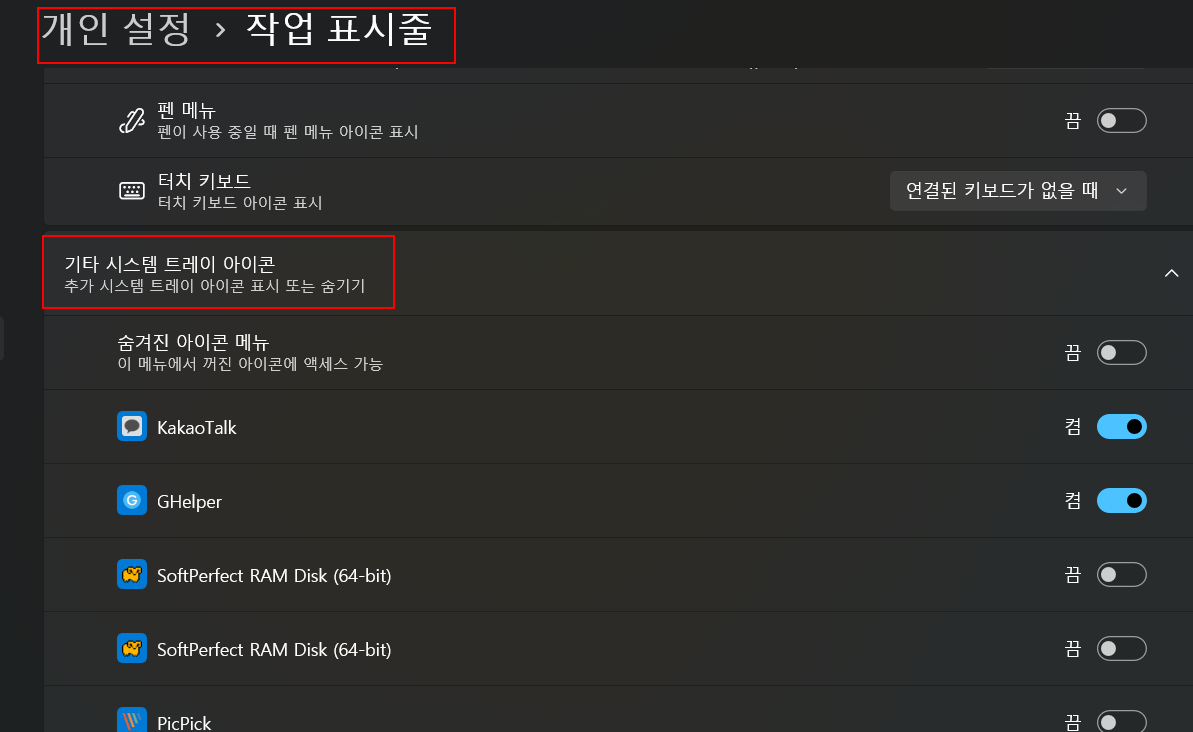
이를 쉽게 초기화 할 수 있는 스크립트를 해외 사이트에서 개발하여 제공하였는데, 아래와 같다.
Reset Notification Area Icons in Windows 10 | Tutorials
아래 코드를 bat 로 저장해서 실행하고 컴퓨터를 재시작하면 정상적으로 현재 사용한 프로그램들만 리스트에 나오는것을 확인할 수 있다.
@echo off

set regPath=HKCU\Software\Classes\Local Settings\Software\Microsoft\Windows\CurrentVersion\TrayNotify
set regKey1=IconStreams
set regKey2=PastIconsStream


echo.
echo The Explorer process must be temporarily killed before deleting your notification area icons cache.
echo.
echo Please SAVE ALL OPEN WORK before continuing.
echo.
pause


echo.
taskkill /IM explorer.exe /F
echo.
FOR /F "tokens=*" %%a in ('Reg Query "%regpath%" /v %regkey1% ^| find /i "%regkey1%"') do goto IconStreams
echo Registry key "IconStreams" already deleted.
echo.

:verify-PastIconsStream
FOR /F "tokens=*" %%a in ('Reg Query "%regpath%" /v %regkey2% ^| find /i "%regkey2%"') do goto PastIconsStream
echo Registry key "PastIconsStream" already deleted.
echo.
goto restart

:IconStreams
reg delete "%regpath%" /f /v "%regkey1%"
goto verify-PastIconsStream

:PastIconsStream
reg delete "%regpath%" /f /v "%regkey2%"


:restart
echo.
echo.
echo You will need to restart the PC to finish resetting your notification area icons.
echo.
CHOICE /C:YN /M "Do you want to restart the PC now?"
IF ERRORLEVEL 2 goto no
IF ERRORLEVEL 1 goto yes


:no
echo.
echo.
echo Restarting explorer....
echo.
echo Please remember to restart the PC later to finish resetting your notification area icons.
echo.
start explorer.exe
pause
exit /B

:yes
shutdown /r /f /t 00
반응형
'Windows > Windows 11' 카테고리의 다른 글
| 원신 - 수정 열매 위치, 단조 무기 교환 (0) | 2026.04.18 |
|---|---|
| RTX 4050, 4060등 4000번 Geforce 그래픽 카드, FPS 두배 만들기 (0) | 2026.01.06 |
| 윈도우 11, 23H2 주요 업데이트 내용 (0) | 2024.04.12 |


